
Using a smartphone while walking has long been a common part of everyday life. People may read messages, browse social media, use navigation, or simply watch videos while continuing to walk down the street. As a result, their attention gradually shifts from their surroundings to the smartphone screen, increasing the risk of colliding with obstacles, falling, or encountering other dangerous situations. One attempt to address this problem directly at the operating system level was Heads Up, a feature developed by Google as part of Digital Wellbeing. It is interesting because Google tried to use sensors already available in smartphones to detect when a person is walking while using their device. But how effective has this solution proved to be in practice, and how far can it go in improving pedestrian safety?
What Heads Up is and how it works
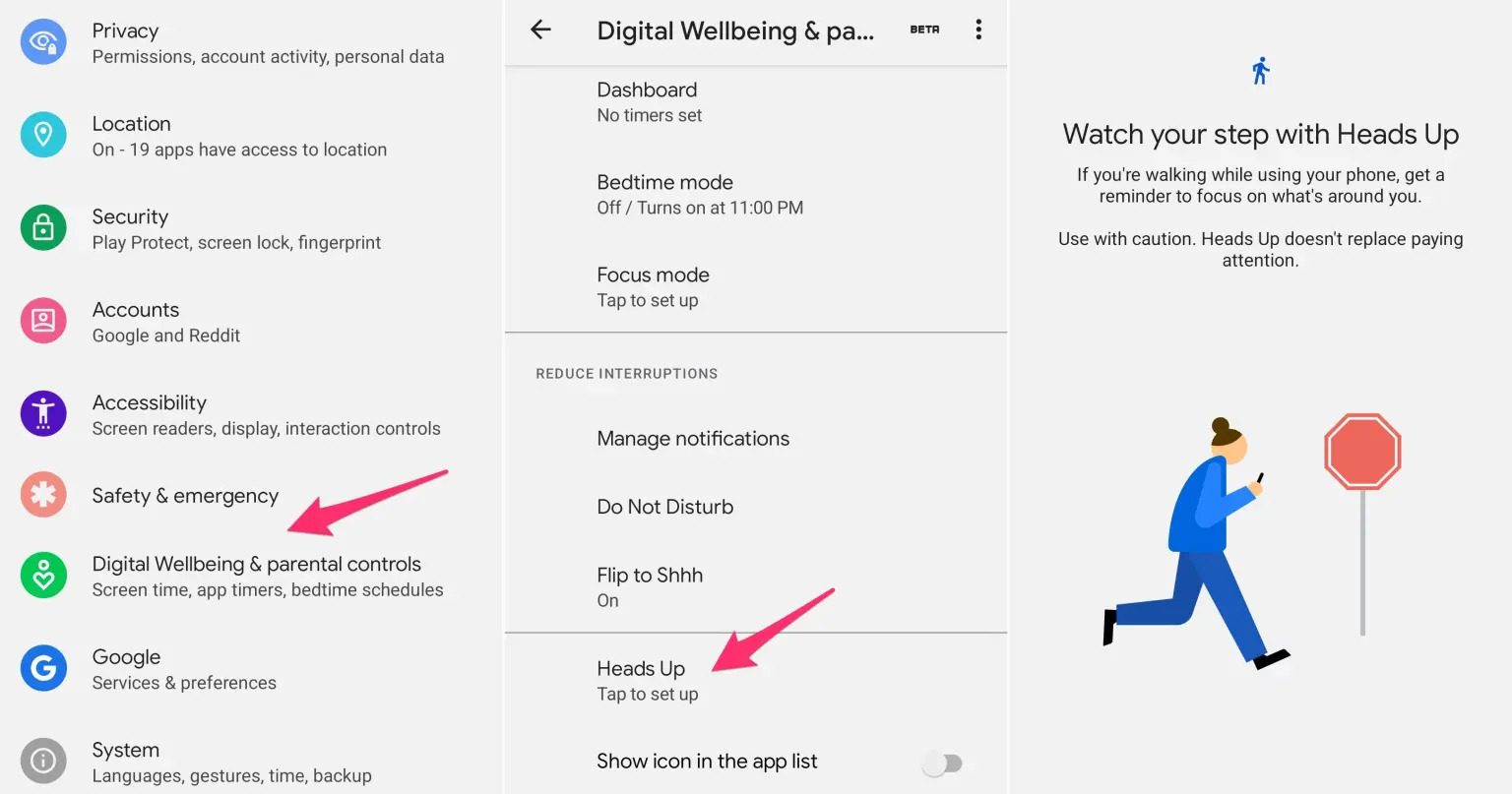
Heads Up was introduced in Android as a feature within the Digital Wellbeing app, designed to remind users to pay attention to their surroundings while walking. Google introduced it in 2021, initially for Pixel devices, and later began making it available on other Android smartphones. Google's current help documentation still describes the feature as a way to remind users to look up from their screens while walking.
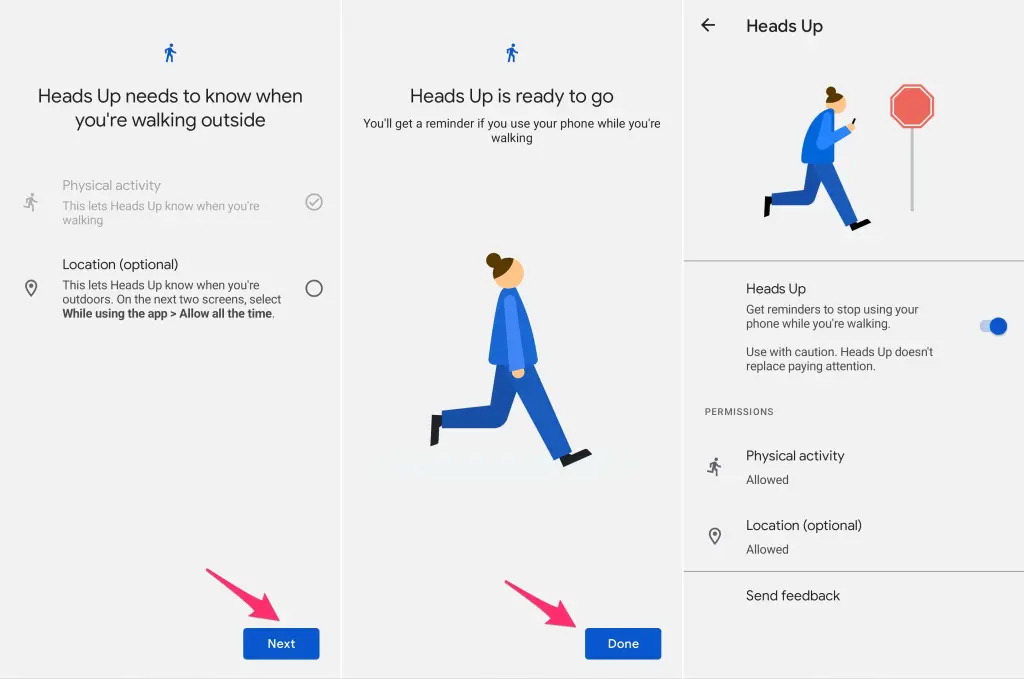
The principle behind Heads Up is quite simple. The feature detects when a user is walking by using the smartphone's physical activity sensors, while also taking into account whether the device is being used. If location permission is granted, the system can also determine whether the user is outdoors. When these conditions are detected, the smartphone displays a warning encouraging the user to pay attention to their surroundings. Google specifically emphasizes that Heads Up is only a reminder and does not replace the user's own awareness.
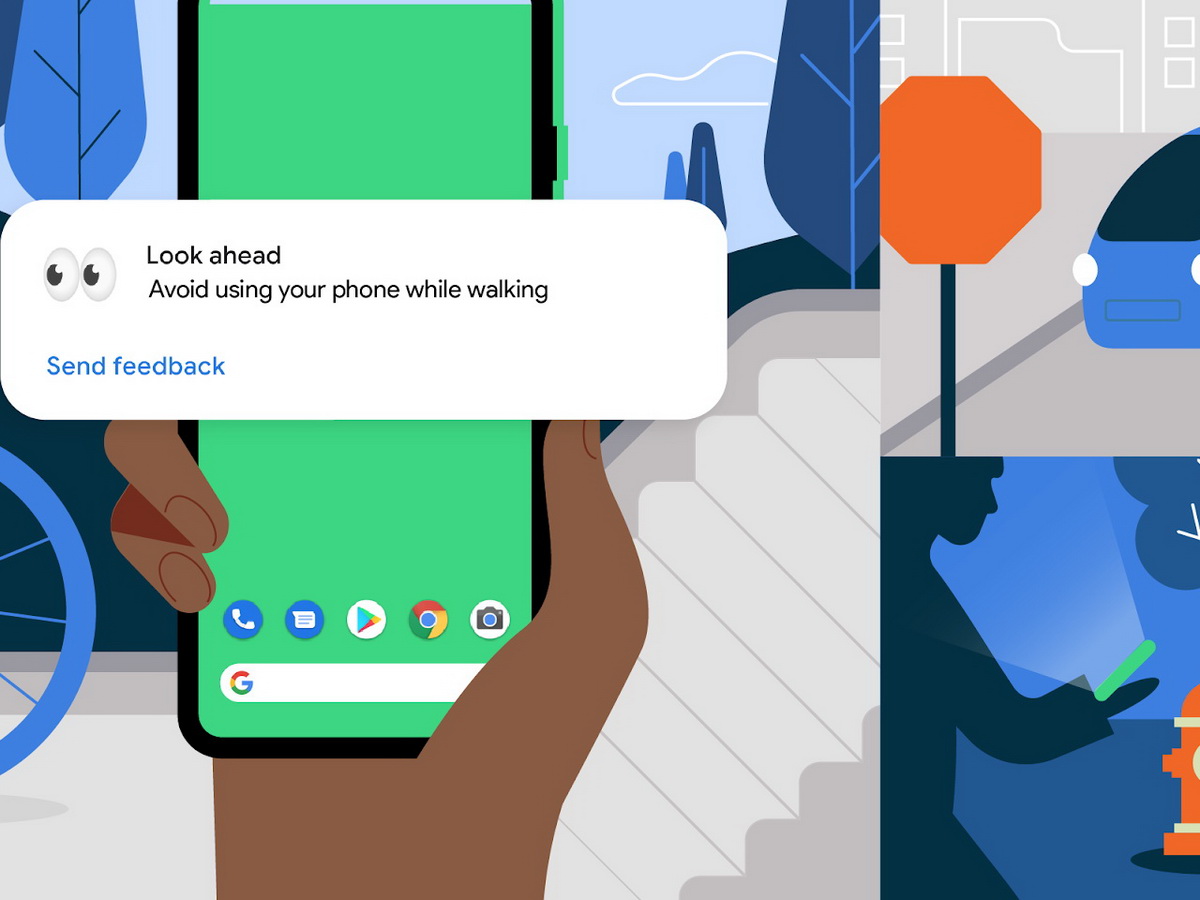
The warnings consist of short messages such as “Look up,” “Stay alert,” “Watch your step,” “Look ahead,” and similar phrases. In other words, Heads Up does not attempt to identify what is directly in front of the pedestrian. Its task is much simpler: to detect that someone is walking while using a smartphone and remind them to stop looking at the screen.
From the perspective of Digital Wellbeing, this is a logical approach. Google does not attempt to completely prevent users from using their smartphones while walking. Instead, it offers a gentle intervention at a moment when their attention may be distracted. Essentially, Heads Up is a preventive tool rather than a fully fledged danger detection system.
What testing and user reviews have shown

Initial reactions to Heads Up were generally positive, particularly regarding the idea itself. Reviewers noted that the feature could be useful for people who become so absorbed in their smartphones while walking that they stop paying attention to their surroundings. At the same time, Google warned from the beginning that Heads Up should not be relied upon as a safety measure.
However, practical use revealed a significant gap between a good idea and a reliable system. One of the early practical tests of Heads Up was particularly telling: the reviewer enabled the feature and walked for about ten blocks while continuing to use their smartphone, but did not receive a single warning.
More recent testing has revealed a similar problem. One reviewer viewed the idea behind Heads Up positively and noted that the feature could indeed remind users to look ahead. However, they also described its performance as highly inconsistent: sometimes warnings appeared, but most of the time there were no notifications. The reviewer reported experiencing this problem on several different smartphones.
The main weakness of Heads Up, therefore, is not the concept itself, but the limitations and unpredictability of its ability to identify situations requiring attention. The feature knows that a person is moving and using a smartphone, but knows practically nothing about what is happening directly in front of them. It does not recognize a curb, a step, a pedestrian crossing, railway tracks, a pole, or another object that might be in the pedestrian's path. This highlights an important distinction: Heads Up warns people about potentially dangerous behavior, rather than about a specific danger ahead.
Heads Up vs Smombie Assistant

This is where comparing Google's solution with the Smombie Assistant concept becomes particularly interesting. Both systems address the same problem: a person uses a smartphone while walking and, as a result, has less awareness of their surroundings. Both use information about the smartphone's movement and operate while the user is walking with the screen on. However, their approaches differ significantly from that point onward.
Heads Up essentially answers the question: “Is the user walking and using a smartphone?” If the answer is yes, the system may remind them to pay attention to their surroundings. Smombie Assistant is intended to answer a much more specific question: “Is there a potentially dangerous object or area ahead of the pedestrian?”
To achieve this, Smombie Assistant is designed to use the smartphone's rear camera and computer vision. The camera would analyze the area in front of the pedestrian and look for predefined signs of danger, particularly yellow warning lines and yellow tactile tiles. In this way, the system aims to detect not merely potentially dangerous user behavior, but the potential danger itself.
The difference is easy to illustrate. If a person is walking along a completely clear sidewalk, looking at their smartphone, and Heads Up sends a warning, the feature has done its job. But if there is a step, a curb, the edge of a platform, or another dangerous area a few meters ahead, Heads Up has no way of knowing that. Smombie Assistant, by contrast, is intended to detect the corresponding visual indicator of a dangerous area and warn the pedestrian at that moment.
There is also a difference in how warnings are delivered. Heads Up primarily uses notifications with short reminders such as “Look up” or “Watch your step.” Smombie Assistant is designed to offer several levels of alerts, including an icon, a push notification, a screen-blocking warning, vibration, and an audible signal. This would allow the system to respond more flexibly according to the user's preferences.
This does not mean that Heads Up is a useless or misguided solution. On the contrary, the introduction of this feature in Digital Wellbeing shows that Google has already recognized smartphone use while walking as a distinct digital safety problem. Heads Up can be viewed as a first, simpler level of protection based on reminding users themselves. Smombie Assistant proposes the next step: supplementing this approach with an analysis of the surrounding environment.
An important difference in the Smombie Assistant concept is the possibility of integration with the SmombieNET system. In this case, information about the module's operation could be used not only to warn an individual user, but also to analyze pedestrian safety across an entire city. Anonymized data about warnings, user reactions, movement, and location could be sent to the SmombieNET server and combined with data from other users. If large numbers of pedestrians repeatedly encounter potentially dangerous situations in the same location, the system could identify high-risk areas and create a map of these locations. In this way, each individual warning could benefit not only the person who receives it, but also other pedestrians in the future, helping city authorities identify problem areas and improve urban infrastructure.
Conclusion
The introduction of Heads Up was an important example of a mobile operating system developer attempting to address the smartphone zombie problem directly at the smartphone level. Google used sensors already available in the device to detect user movement and remind people to pay attention to their surroundings. However, practical experience shows that this approach is not sufficient to provide comprehensive pedestrian protection. Heads Up can remind someone to look ahead, but it does not know what is in front of them or how dangerous it might be. The Smombie Assistant concept proposes taking this idea further: rather than limiting itself to analyzing user behavior, it would also analyze the area ahead using the camera and computer vision. In this way, a smartphone could become more than a device that distracts people from the world around them. It could become an assistant that helps them interact with that world more safely while contributing to a safer urban environment for other pedestrians as well.